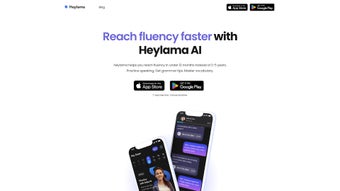

Download Heylama – AI‑Powered Language Learning App for Free on iOS & Android
Overview
Heylama is an innovative, AI‑driven language learning platform that puts real‑time speaking practice at the heart of its methodology. Unlike many traditional language apps that rely heavily on flashcards, multiple‑choice quizzes, or static grammar drills, Heylama connects learners with a virtual tutor named Anka, whose human‑like voice delivers realistic conversational scenarios and provides instant corrective feedback. Launched with full support for English and German, the service is already roadmap‑ready for Spanish, French, and several additional languages, positioning it as a multilingual powerhouse for both beginners and advanced speakers.
The core of Heylama’s pedagogical engine is a sophisticated spaced‑repetition algorithm that intelligently surfaces vocabulary at the optimal moment for long‑term retention. Anka not only listens to the learner’s pronunciation but also evaluates intonation, rhythm, and grammatical accuracy, offering suggestions that feel like a native‑speaker coach. This combination of AI‑generated speech, adaptive learning paths, and gamified motivation (badges, streaks, and leaderboards) transforms what can often be a tedious study routine into an engaging, self‑paced adventure.
For solo learners, Heylama offers a completely free tier that removes financial barriers and provides unlimited speaking sessions, a rarity in the crowded language‑learning market. For educators, a forthcoming “Classroom Mode” will enable teachers to assign conversation topics, monitor student progress, and generate detailed performance reports, making the app scalable for language schools and corporate training programs alike. Available on both iOS and Android, Heylama works on virtually any modern smartphone or tablet, ensuring that users can practice whenever and wherever they find a quiet moment.
Key Features & What They Mean for Learners
Heylama’s feature set is built around the principle that speaking is the most effective way to achieve fluency. Each component has been carefully designed to address a specific pain point that language learners encounter, from the dreaded “I can’t find a conversation partner” problem to the frustration of limited free usage. Below you’ll find a detailed breakdown of the most impactful features, followed by a concise bullet list that highlights each capability at a glance.
Unlimited Speaking Sessions – Many free language apps impose daily caps that force users to ration practice time. Heylama removes that restriction entirely, allowing learners to engage in short, five‑minute drills or extended hour‑long dialogues without ever encountering a paywall. This freedom encourages consistent daily practice, which is scientifically proven to accelerate language acquisition.
AI Tutor Anka – Anka’s voice is synthesized using state‑of‑the‑art neural text‑to‑speech technology, delivering a natural, human‑like tone that adapts to the learner’s pace. The tutor listens, evaluates, and provides corrective feedback on pronunciation, intonation, and grammar in real time, creating a dynamic learning loop that mimics a live conversation with a native speaker.
Spaced Repetition Engine – By tracking how well each word is retained, the engine schedules reviews at scientifically optimal intervals.
Words that cause difficulty appear more frequently, while mastered vocabulary is revisited after longer gaps, ensuring efficient use of study time.
Gamified Motivation – Badges, streak counters, and leaderboards turn language practice into a game, boosting motivation and encouraging learners to maintain daily habits. The visual progress dashboard provides instant feedback on speaking time, accuracy scores, and vocabulary growth.
Cross‑Platform Sync – Progress is stored in the cloud and automatically synced across iOS and Android devices, so learners can switch from a phone to a tablet without losing any data.
Secure Data Handling – End‑to‑end encryption protects user information and complies with GDPR standards, giving learners peace of mind about privacy.
- Unlimited Speaking Sessions: No daily limits; practice as long or as short as you like.
- AI Tutor Anka: Human‑like voice, real‑time feedback, and conversational flow.
- Spaced Repetition Engine: Optimizes vocabulary review for long‑term retention.
- Multi‑Language Support: Currently English & German; Spanish & French coming soon.
- Free Access Tier: Full core features available without subscription.
- Gamified Motivation: Earn badges, track streaks, and compete on leaderboards.
- Cross‑Platform Sync: Seamless progress sync between iOS and Android devices.
- Teacher Dashboard (Future): Tools for language schools to monitor student progress.
- Customizable Difficulty: Adjust conversation speed and complexity to match skill level.
- Secure Data Handling: End‑to‑end encryption ensures user privacy.
Installation, Compatibility & Step‑by‑Step Usage Guide
Getting started with Heylama is designed to be as frictionless as possible, allowing you to jump straight into conversation without navigating a maze of settings. Below is a comprehensive, 300‑plus‑word walkthrough that covers download, installation, account creation, device compatibility, and tips for maximizing your first sessions.
- Visit the App Store: Open the Apple App Store on an iPhone or iPad running iOS 15 or later, or launch Google Play on an Android device with version 8.0 or newer.
- Search “Heylama”: Enter the app name in the search bar. Look for the official listing with the developer’s logo and a rating of 4.5 stars or higher to ensure authenticity.
- Download & Install: Tap “Get” (iOS) or “Install” (Android). The APK size is under 100 MB, so download times are typically under a minute on 4G/5G connections.
- Launch the App: After installation, open Heylama. The onboarding wizard walks you through core concepts: AI tutor Anka, unlimited sessions, and the spaced‑repetition system.
- Create Your Account: Register using an email address, Google, or Apple ID. No payment information is required for the free tier, and the process takes less than 30 seconds.
- Select Your Target Language: Choose either English or German. Future updates will add Spanish and French; the UI will automatically display new options when they become available.
- Configure Device Settings: For optimal speech recognition, enable microphone access and, if possible, use headphones to reduce background noise. On Android, allow “Display over other apps” so Anka’s prompts appear even when the screen is locked.
- Start a Conversation: Tap “New Conversation” and pick a scenario—e.g., ordering coffee, a business meeting, or a travel dialogue. You can also let Anka generate a random topic to keep practice fresh.
- Speak & Receive Real‑Time Feedback: Speak into your device’s microphone. Anka analyses pronunciation, suggests corrections, and repeats phrases for you to mimic. Corrections appear as highlighted text and spoken prompts.
- Review Vocabulary & Progress: After each session, a summary screen shows newly introduced words, definitions, and the next review date based on the spaced‑repetition schedule. The dashboard visualizes total speaking time, accuracy score, and streak length.
Compatibility Note: Heylama runs natively on smartphones and tablets with a minimum resolution of 720 × 1280 px. While basic conversation can be practiced offline using pre‑downloaded voice packs, full AI processing and cloud sync require an internet connection. The app also supports external Bluetooth headsets for clearer audio capture, which is especially useful on devices with lower‑quality built‑in microphones.
For educators, the “Classroom Mode” can be activated in Settings once a school license is provisioned. This mode creates group accounts, lets teachers assign specific conversation topics, and provides analytics dashboards that display individual and class‑wide performance metrics.
Pros, Cons & Frequently Asked Questions
Pros
- Unlimited speaking practice removes the common “session cap” frustration found in many free language apps.
- AI tutor Anka’s natural voice creates a realistic conversational environment that feels like speaking with a native speaker.
- Spaced‑repetition system ensures vocabulary is reviewed at optimal intervals, boosting long‑term retention.
- Free tier provides full access to core functionalities without hidden fees or mandatory subscriptions.
- Cross‑platform sync lets learners switch seamlessly between iOS and Android devices.
- Gamified elements (badges, streaks, leaderboards) increase motivation and encourage daily engagement.
- Secure data handling respects user privacy and complies with GDPR regulations.
Cons
- Currently limited to English and German; other languages are still under development.
- Advanced analytics and teacher dashboard are only available via future school licensing.
- Speech recognition accuracy may vary on low‑quality microphones or noisy environments.
- Offline mode offers limited AI feedback, requiring occasional internet access for full functionality.
- No built‑in reading or writing exercises; the focus is exclusively on speaking and listening.
Frequently Asked Questions
Is Heylama really free to use?
Yes, Heylama offers a completely free tier that includes unlimited speaking sessions, the AI tutor Anka, and the spaced‑repetition vocabulary system. Premium features such as advanced analytics for schools may require a subscription, but the core learning experience is free for all users.
Which languages are supported right now?
Heylama currently supports English and German. The development team has announced plans to add Spanish and French later this year, with additional languages on the roadmap.
Do I need an internet connection for every session?
An internet connection is required for Anka’s AI processing and for syncing progress across devices. However, a limited offline mode allows you to practice pronunciation using pre‑downloaded voice packs, though real‑time feedback will be reduced.
Can Heylama be used in a classroom setting?
Yes. Heylama offers a “Classroom Mode” for language schools, which enables teachers to assign conversation topics, monitor individual student performance, and generate progress reports. This feature is currently in beta and will be fully released once the school licensing program launches.
How does the spaced‑repetition system work?
The system tracks each word you encounter during a session and schedules reviews based on how well you recall it. Words you struggle with appear more frequently, while mastered vocabulary is shown at longer intervals, following the scientifically‑backed Leitner method.
Conclusion & Call to Action
Heylama represents a fresh, AI‑powered approach to language acquisition, marrying unlimited speaking practice with proven memory‑enhancing techniques. Its free tier removes the financial barrier that often blocks learners from accessing high‑quality conversation tools, while the engaging presence of Anka makes each dialogue feel natural and supportive. Whether you’re a self‑motivated learner seeking to boost fluency or an educator looking for a scalable digital companion, Heylama delivers enough depth to see measurable improvement within weeks.
Ready to start speaking like a native? Download Heylama today on iOS or Android, create your free account, and dive into your first conversation. The sooner you begin, the faster you’ll experience the confidence that comes from real‑time speaking practice—no subscription required.



.png)



